

A few weeks ago I wrote about some of the current and impending changes to the Microsoft Certifications, and as promised I will go through some of the avenues to prepare for them.

So where do you begin?
So you have decided to pursue a path in Microsoft Technologies, first things you should consider is to create a Microsoft Account if you have not already through the various sign in pages.
With this you can head over to https://learning.microsoft.com and start filling out your Learning Profile; bear in mind that these details much be accurate as they are referred to when you register for and take an exam.
You will then need go through process to register and link to a Pearson VUE account, as they deliver the exams.
Exams may be taken in local test centers or remotely via Online Proctored Exam conditions.
Now that your accounts are in order, start taking a look through the Dashboard
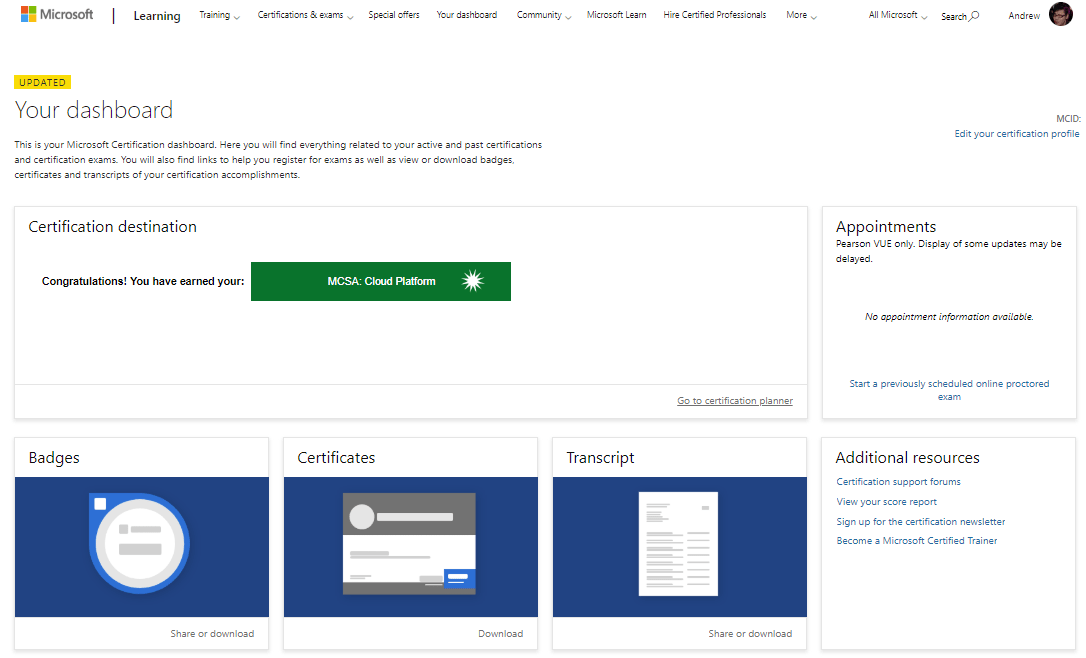
Note the UPDATED notification, along with changes to Certifications they also retired some features of the former MCP Profile – e.g Wallet Cards.
You can still view and download your Badges, Certificates and Transcripts.
Badges for now are still through Acclaim, but Microsoft will be hosting their own – as seen with the new Role-Based Certifications.
These features become available after you pass your first exam and become a Microsoft Certified Professional.
The Certification Planner will be very useful in choosing and tracking your certification path(s).
What Certification to start with?
While not MCP Certification qualified or a pre-requisite for the later certifications, the Microsoft Technology Associate (MTA) Certification is a good place to test on fundamentals at an Entry-Level.
Whether you go for an MTA or are wanting to go straight for the next level up, you’ll find Microsoft Certified Solutions Associate (MCSA) certifications as well as a Microsoft Certified Solutions Developer (MCSD) certification for App Builder.
The next step from here would be to pursue a Microsoft Certified Solutions Expert (MCSE) certification. You may find that these may just require an additional exam from a shortlist after you complete an MCSA.
And of course the Role-Based Certifications, just Azure roles available at the moment but we will soon see Microsoft 365, Modern Desktop and other roles show up in the new year.
Picking an exam.
Let’s take a look at 70-346 for example
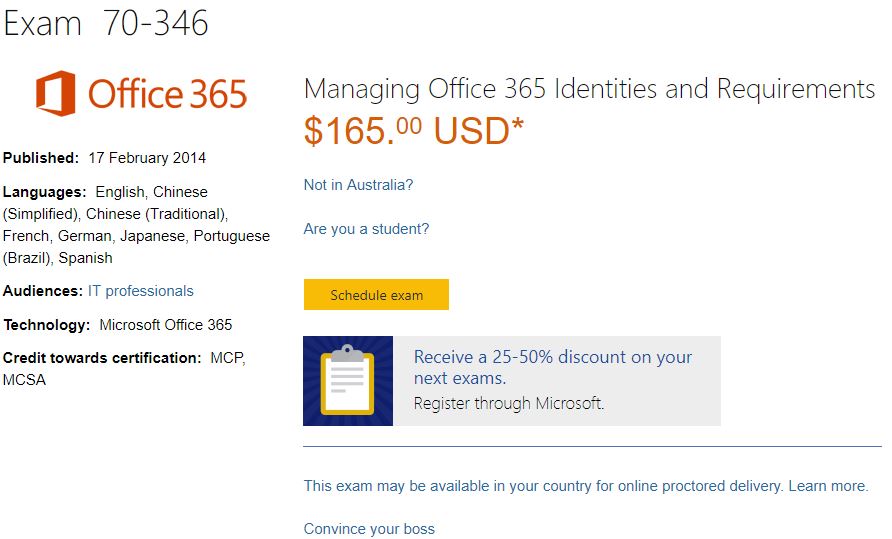
You will see Certifications that this exam is eligible for, and even get a email template to have your manager consider budgeting towards your training.

More importantly, the scope of the exam – and note the weighting; not all exams have an equal spread. You will see a brief on the assessed components as you expand the titles.

The preparation options are where are going to focus on now.
Online Training – this will take you over to edX, edX offers free self-paced study through Videos and light(ish) reading. You can also purchase verified Certificates towards the courses they offer.
Instructor-Led Training – delivery either on demand online (self-paced 3 months) or at a local training center; these are usually 5 days courses with Hands On Learning.
Exam Prep Video & Self-Paced Stufy – You may find some material through the Microsoft Virtual Academy (MVA). You will also find some Badges to be earned here upon completion of Learning Paths.
From 31 January 2019 Microsoft will begin consolidating and retiring parts of the MVA and going to their new platform, more on this later*.
Along with the above there are a few other options I would like to cover.
These two sites offer On Demand training videos made by IT Professionals that cover the material in the Exam Reference Books; often these are the co-authors as well.
Subscriptions to either service also provides Quizzes and Practice Exams.
Practice Test – These are offered through Pearson VUE partnership with Mindhub and MeasureUp.
Books – The Exam Reference books are essential, covering all the modules that you will be tested on.
*Later
Nestled under Microsoft Docs, this is now currently the home of learning material for: the new Azure Role Certifications; PowerApps; PowerBI; Flow; and Windows Development.
Retired content from the MVA will then be migrated to MS Learn.

The Learning Paths are “game-ified” with Leveling progress as you get through the courses, ultimately with them suggesting to take the relevant exam at the end of the course.
The Learning Paths are free and Microsoft have partnered up with Pluralsight and LinkedIn Learning for additional training.
After a few attempts I managed to pass 70-533 and also got 70-532 as well this month, leading to MCSA: Cloud Platform and MCSE: Cloud Platform and Infrastructure (2018) just in time before they get retired.


So, I hope I have been able to help lay the foundation of getting started in registering and preparing for Microsoft Certification Exams.
Best of luck in your studies and wishing you all a safe Festive Season and great New year!
 M365 Senpai
One thought on “December 2018 – Exam Preparation & Microsoft Learn”